
OwnerRez Integration with HelloHost
Integrate OwnerRez with HelloHost's AI to fully automate guest communications and streamline property management. Follow this comprehensive guide to set up your integration seamlessly.

Overview
OwnerRez is a comprehensive vacation rental management platform designed for professional hosts and property managers who want powerful tools without the complexity. From managing one property to overseeing an entire portfolio, OwnerRez delivers robust channel management, dynamic pricing, automated workflows, and seamless integrations with major OTAs (like Airbnb, Vrbo, Booking.com, and more) plus direct bookings through your own branded website, all controlled from one centralized dashboard.
With the HelloHost AI + OwnerRez integration, you can fully automate guest messaging directly inside your OwnerRez inbox and deliver true 24/7 coverage. HelloHost connects to your OwnerRez account, imports your selected listings, and goes live on your schedule, handling routine guest questions, staying on-brand with your tone of voice, and escalating complex issues to your team via SMS, WhatsApp, or Slack.
Key Features
Autopilot Messaging
Ditch tedious drafting. Our AI handles all the messages in your inbox: responses are instant, personalized, and indistinguishable from a human host. No templates, no editing, just 24/7 support.
Full Customization
Tailor tone, rules, delays and workflows to match your brand, your style, powered by our tech.
Multilingual Mastery
Engage guests in their native language, with support for all languages, to deliver a truly 5-star experience.
Smart Human Handoff
AI intelligently escalates complex issues to you, balancing automation with personal touch.
Schedule and Complete an Onboarding Call
Sign up and schedule an onboarding call with the HelloHost team. Your account will be created together during this session and we will take down your preferences.
⚠️ Please note that this is a required step, otherwise your AI settings and notifications won't work.
Integration via OAuth + Import your Listings
Connect your OwnerRez account with HelloHost
🔑
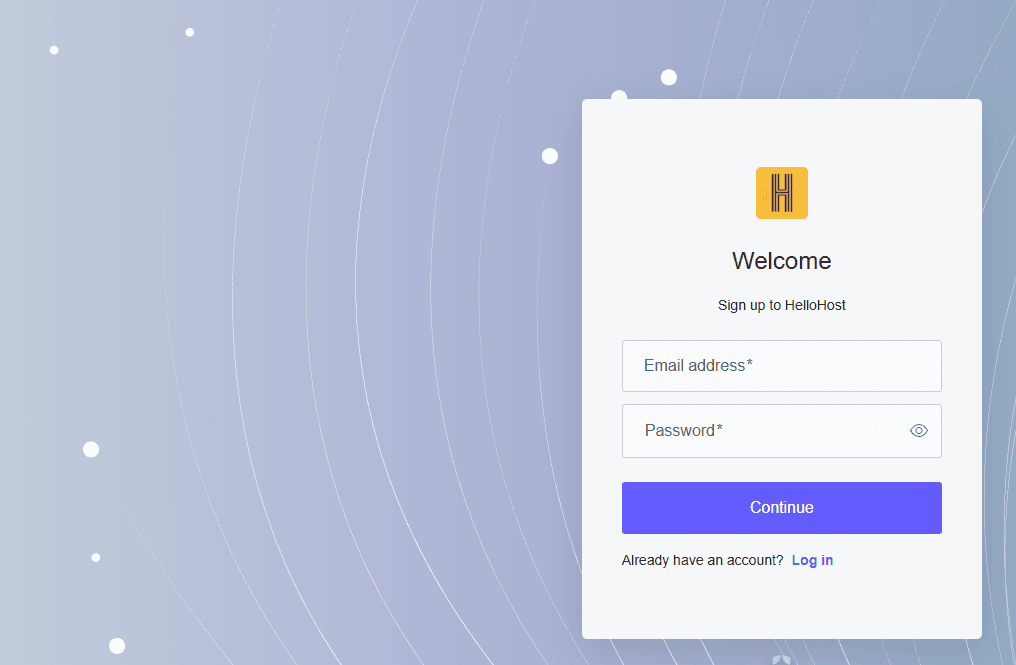
Go to HelloHost portal, click Sign up to create an account.
➕
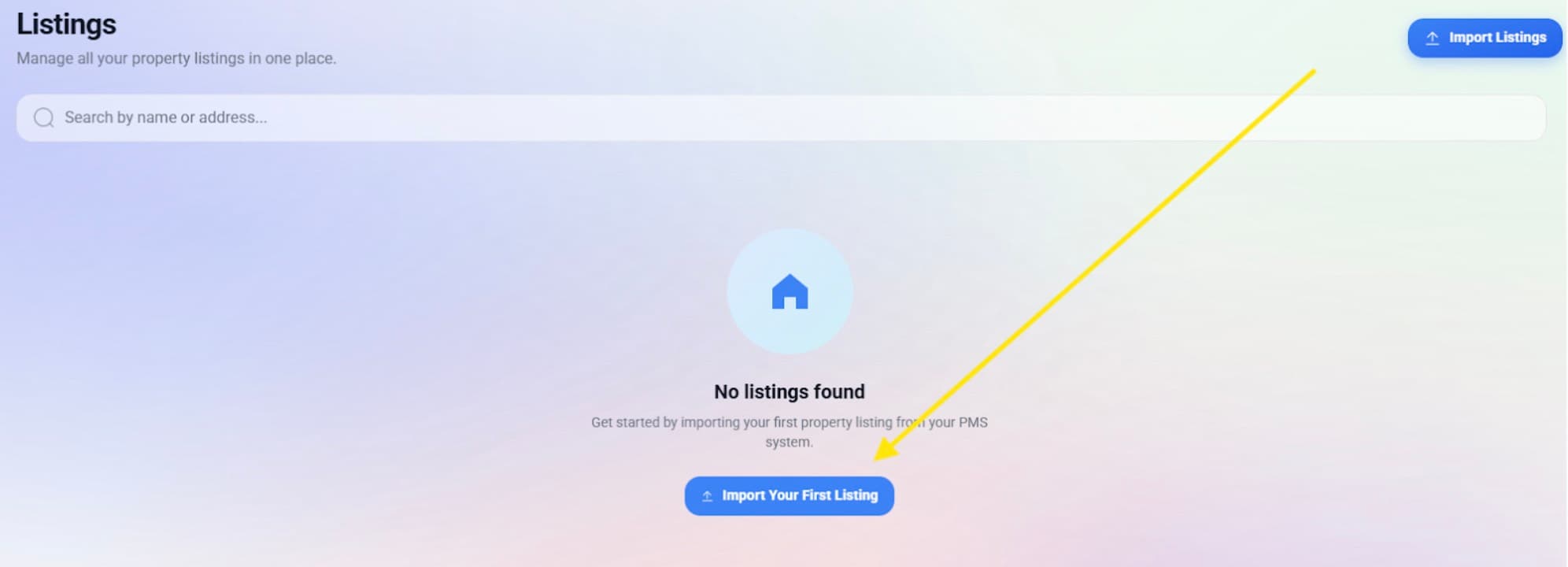
To connect your PMS, Click on the 'Import Your First Listing' button.
📋
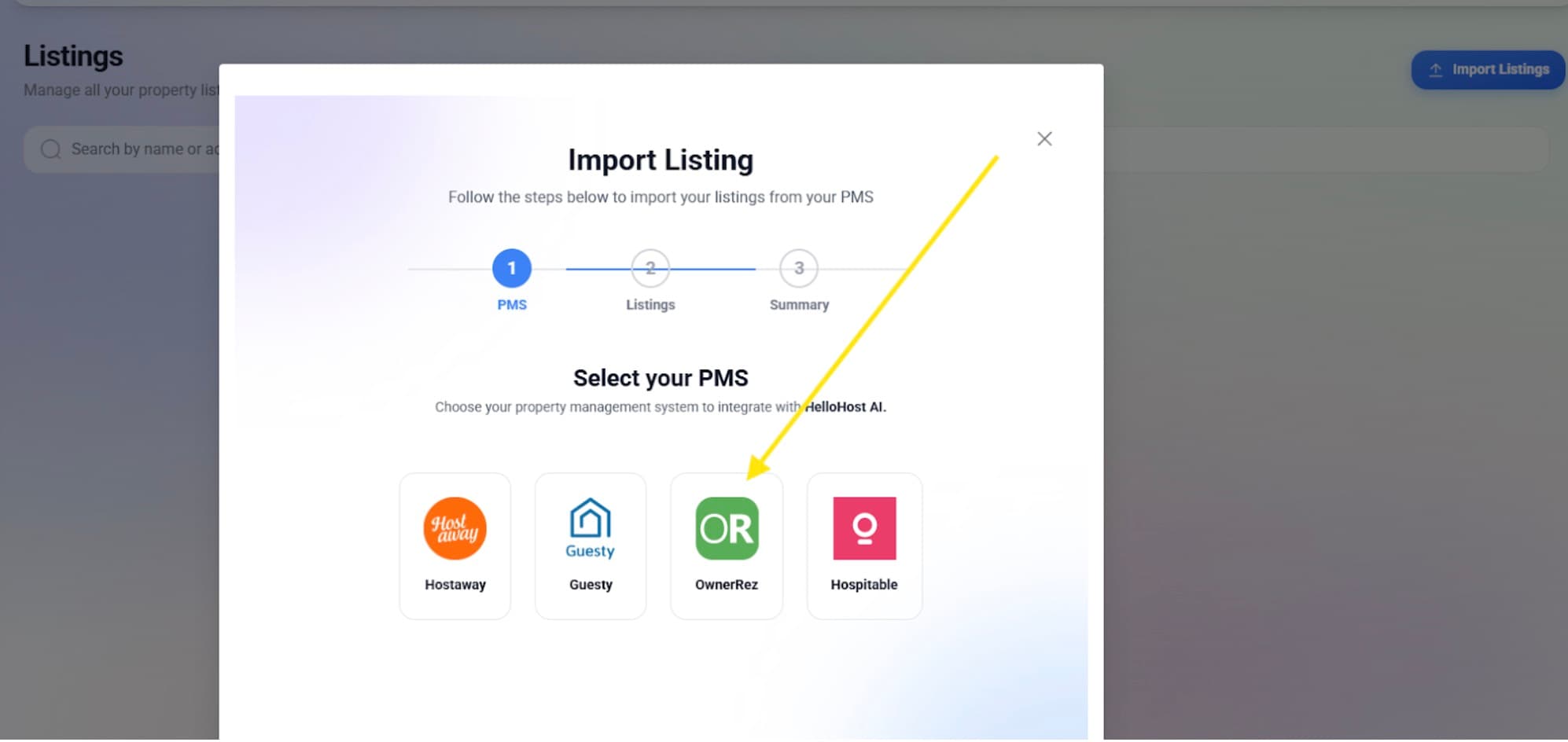
Select OwnerRez as your PMS.
🔐
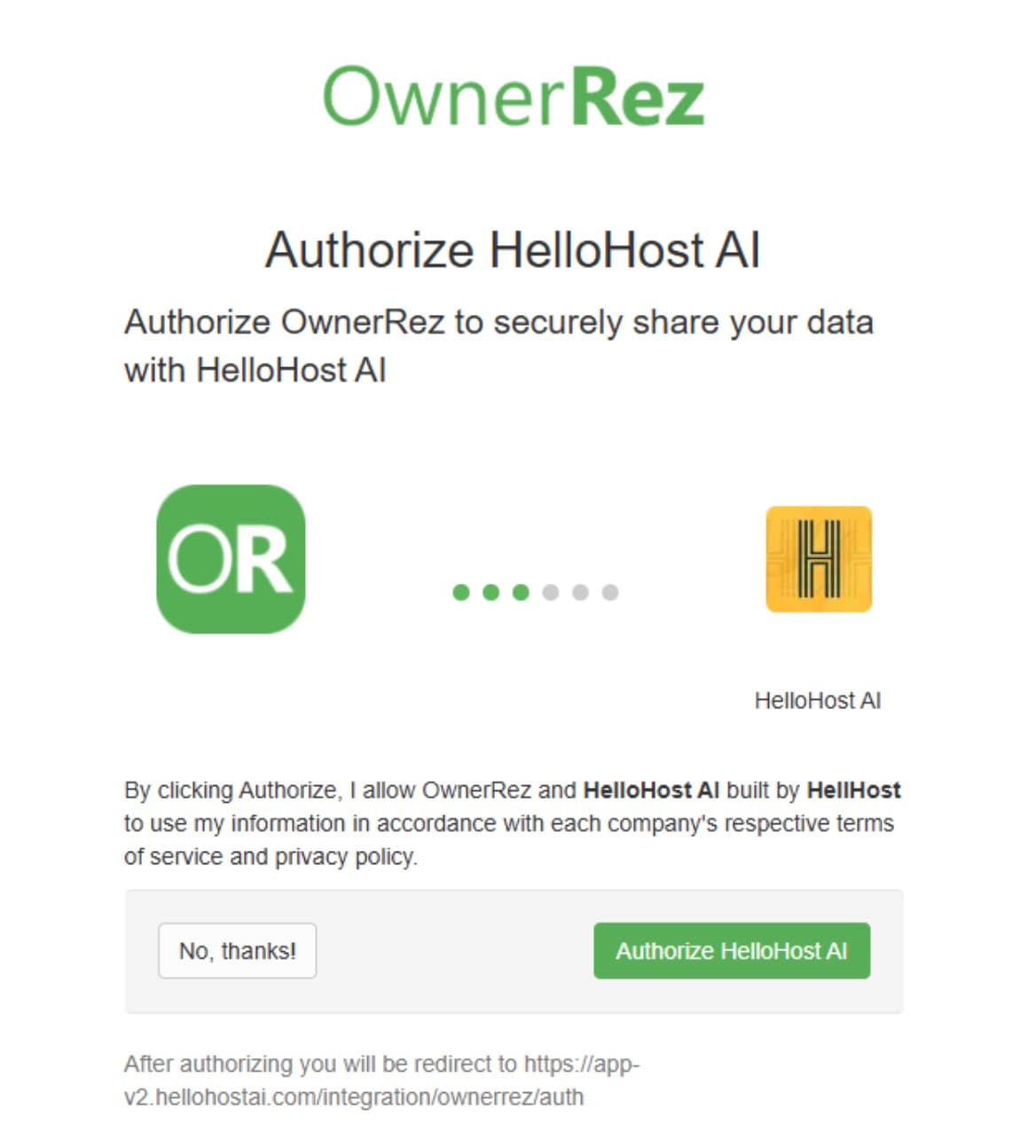
Log in to your account and authorize HelloHost integration
✅
Select all the Listings you want to import to HelloHost, and then click on Import Listings.
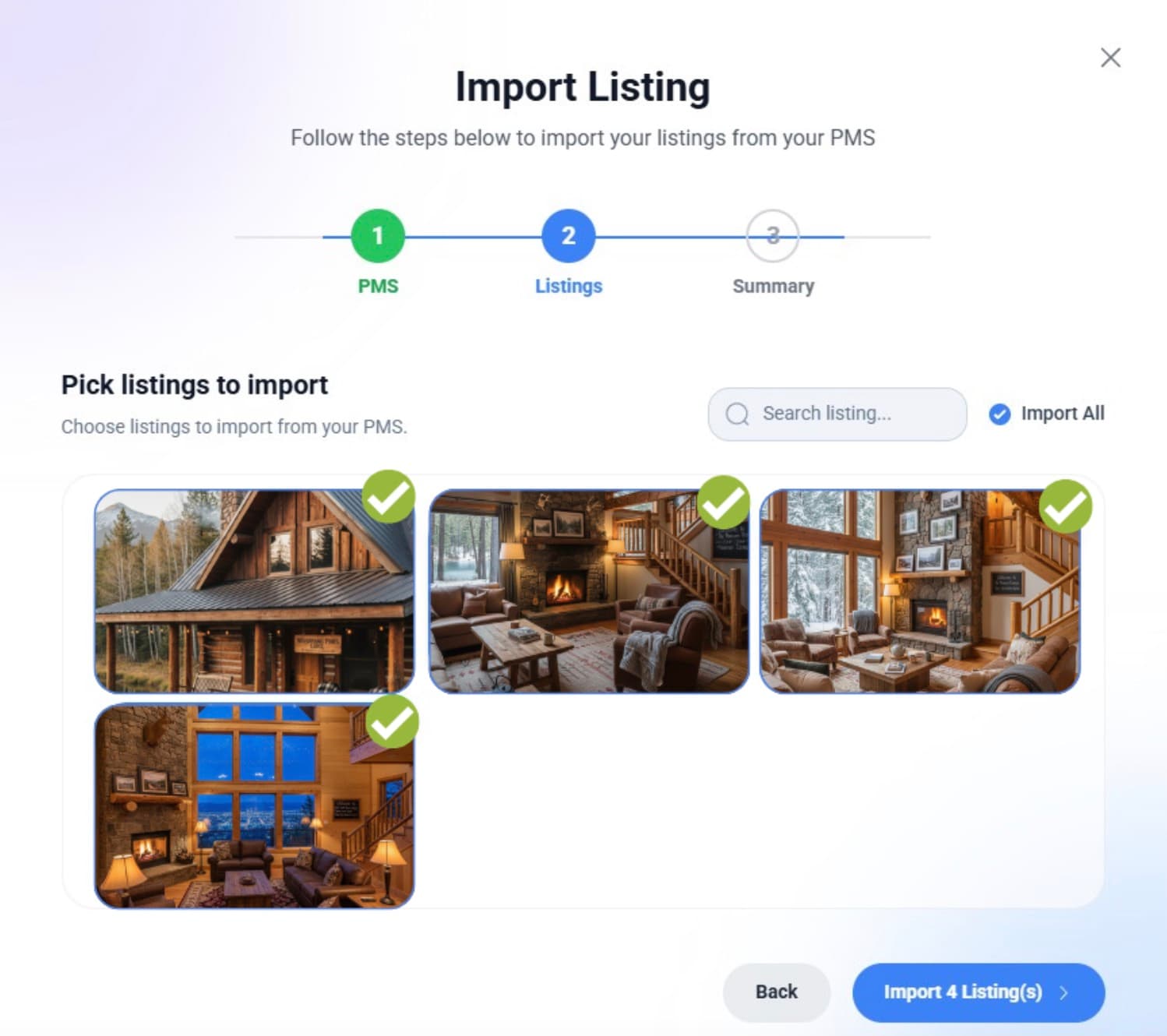
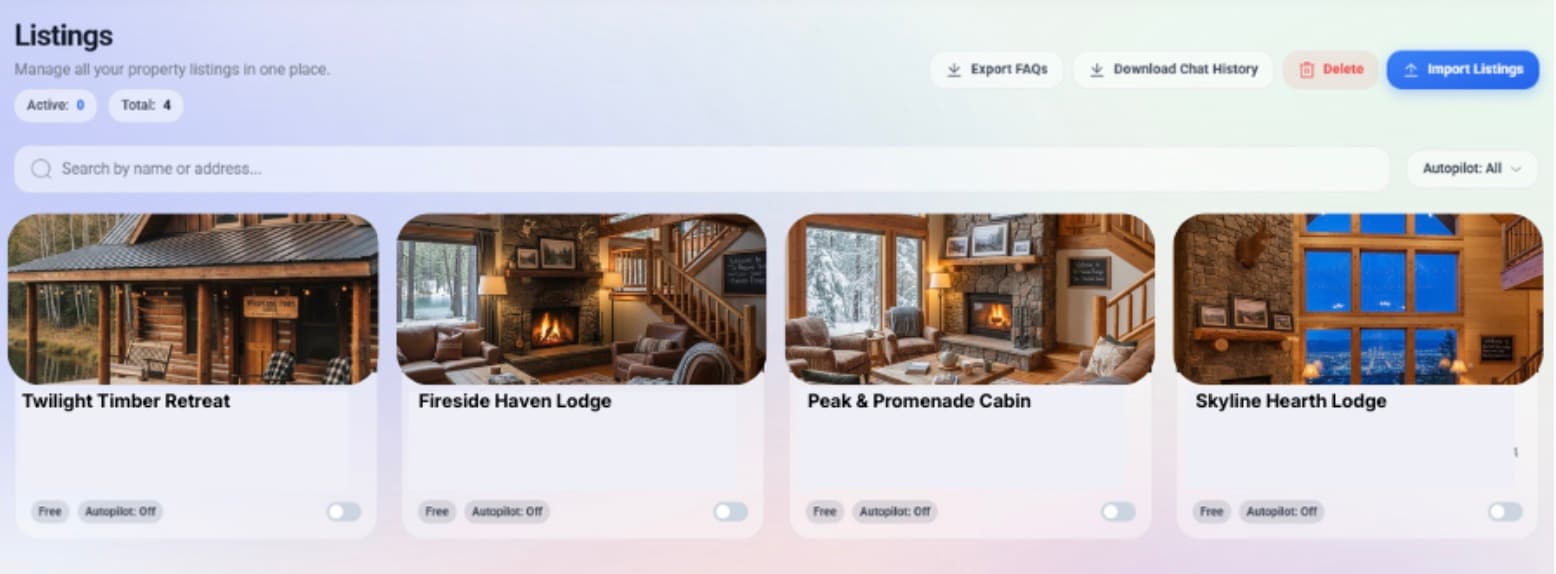
✅ You'll now see your listings imported to HelloHost.
Join hosts who reclaim hours every week while delivering a standout guest experience. Book a demo and see HelloHost AI in action: start your 30-day free trial today.
